ManagedOS features
Bill for what you deliver. Catch every gap before the invoice.
Two monthly checks that work alongside the billing software, PSA, and vendor portals you already use. One lines your billing export up against what InventoryOS counts. The other lines up what each vendor reports, what’s in use, what the plan covers, and what you billed.

Billing reconciliation
Drop in the export. See every add and remove.
Connect QuickBooks Online, or drop in an export from the billing software you already use. Every client shows what to add or remove against what InventoryOS counts, and nothing changes until you approve it.
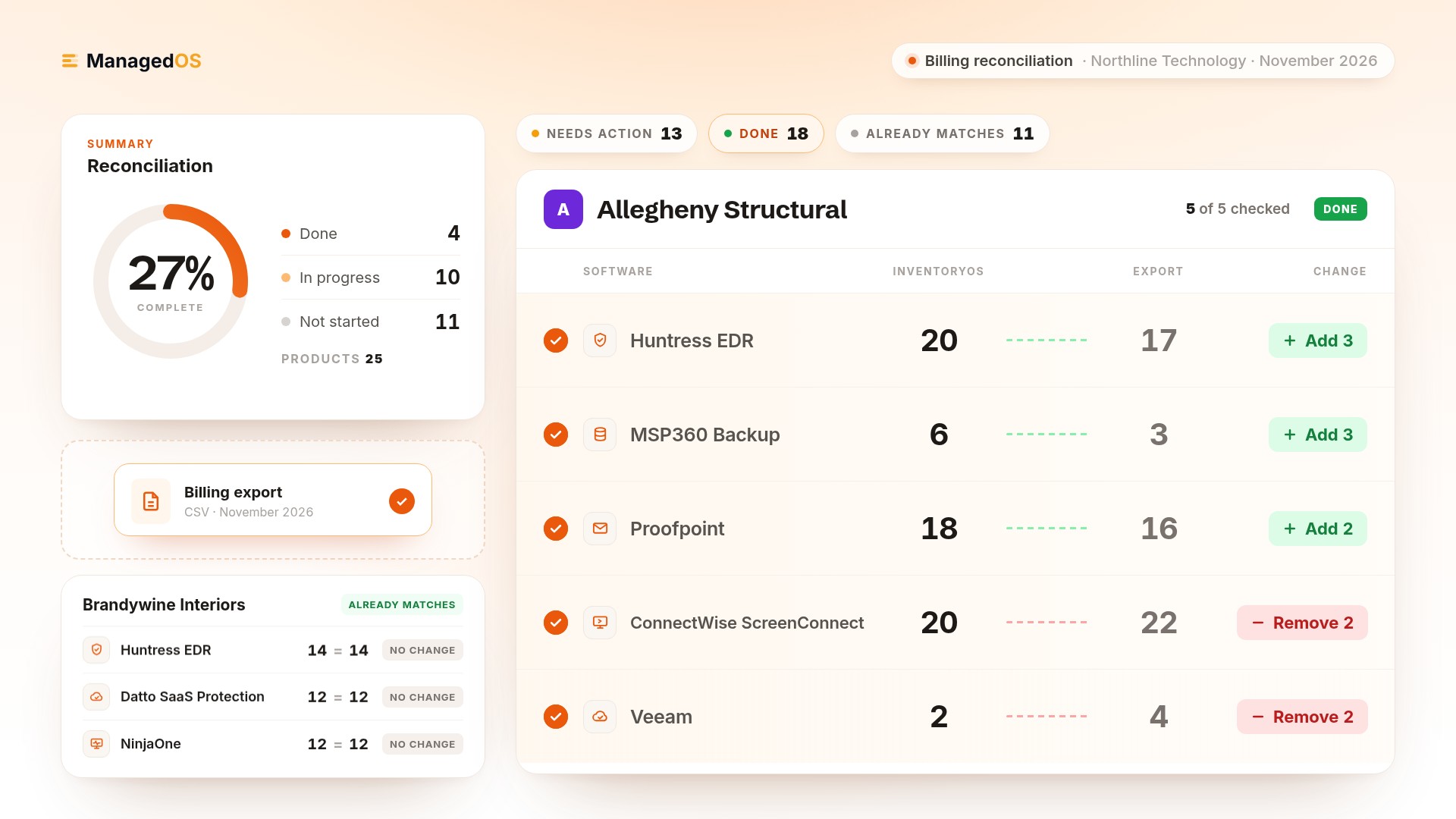
Try it · Allegheny Structural
Check off each line as you update your billing.
| Software | InventoryOS | Billing export | Change | Updated |
|---|---|---|---|---|
| Huntress EDRInventoryOS 20 · export 17 | 20 | 17 | Add 3 | |
| MSP360 BackupInventoryOS 6 · export 3 | 6 | 3 | Add 3 | |
| ProofpointInventoryOS 18 · export 16 | 18 | 16 | Add 2 | |
| ScreenConnectInventoryOS 20 · export 22 | 20 | 22 | Remove 2 | |
| VeeamInventoryOS 2 · export 4 | 2 | 4 | Remove 2 |
0 of 5 updated
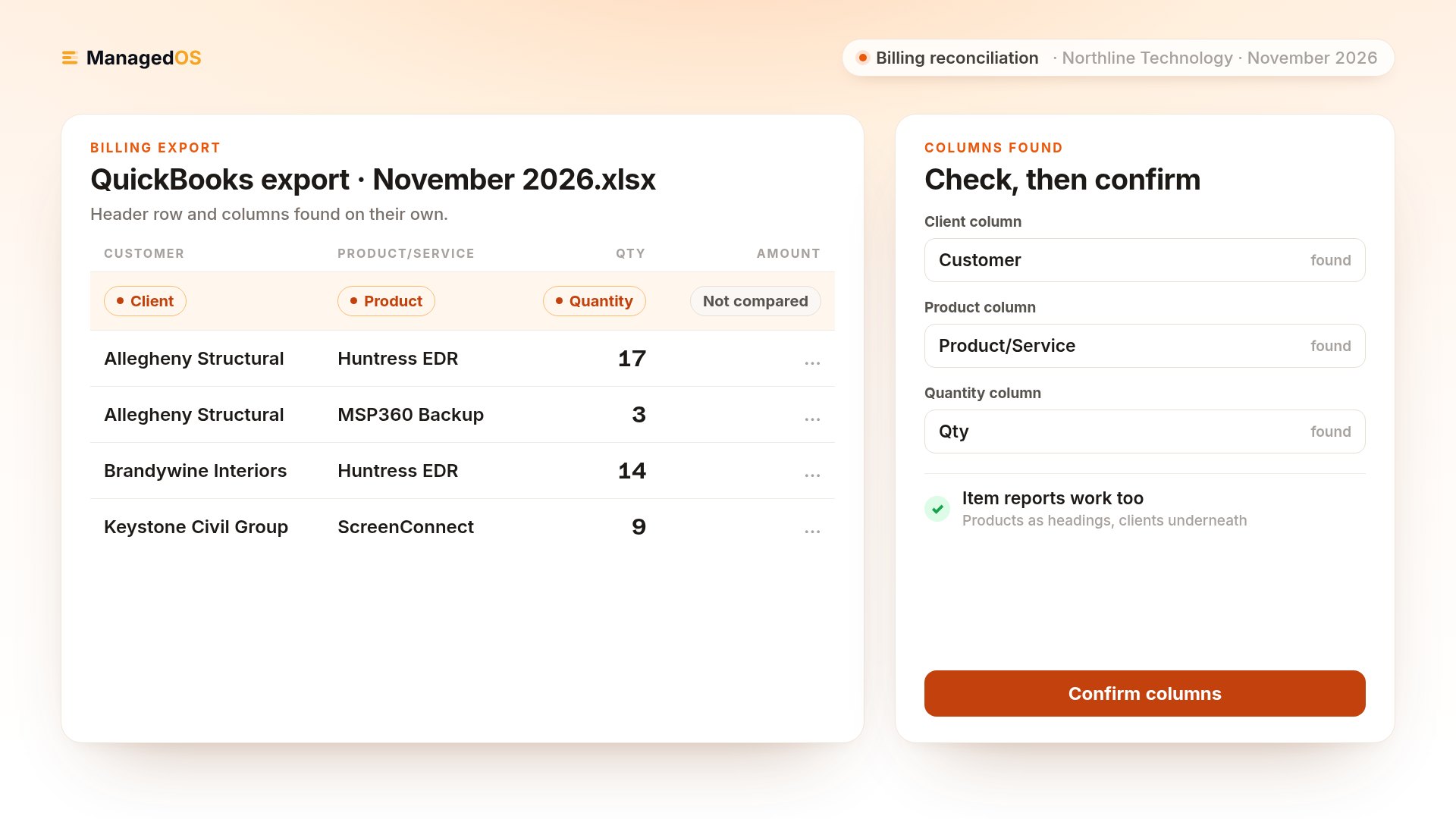
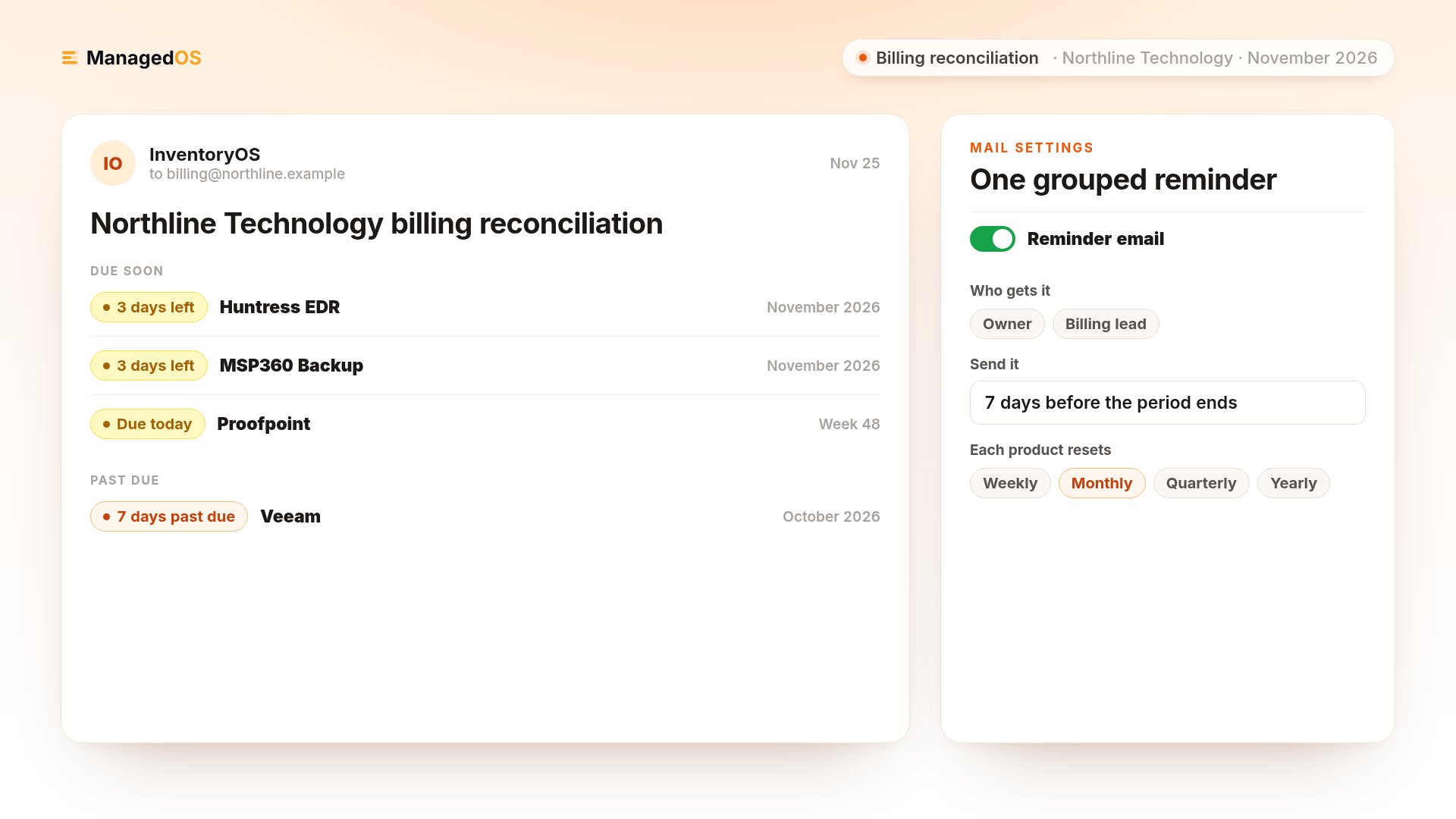
Your scheduleEach product resets on its own: weekly, monthly, quarterly, or yearly.
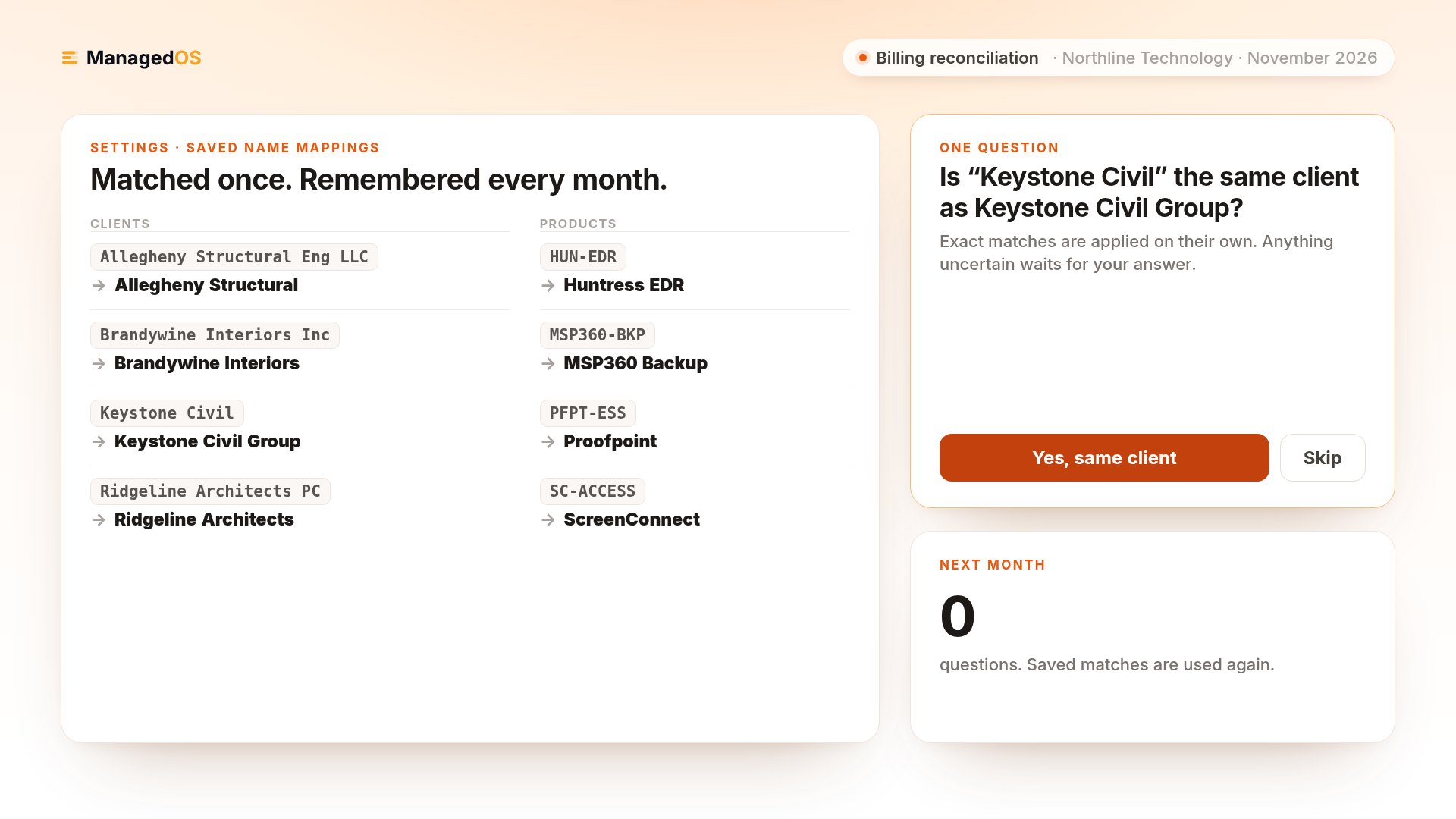
One export, many productsEvery product that’s turned on and in the export updates from the same file.
Every period keptDetails shows this period next to earlier ones, product by product.
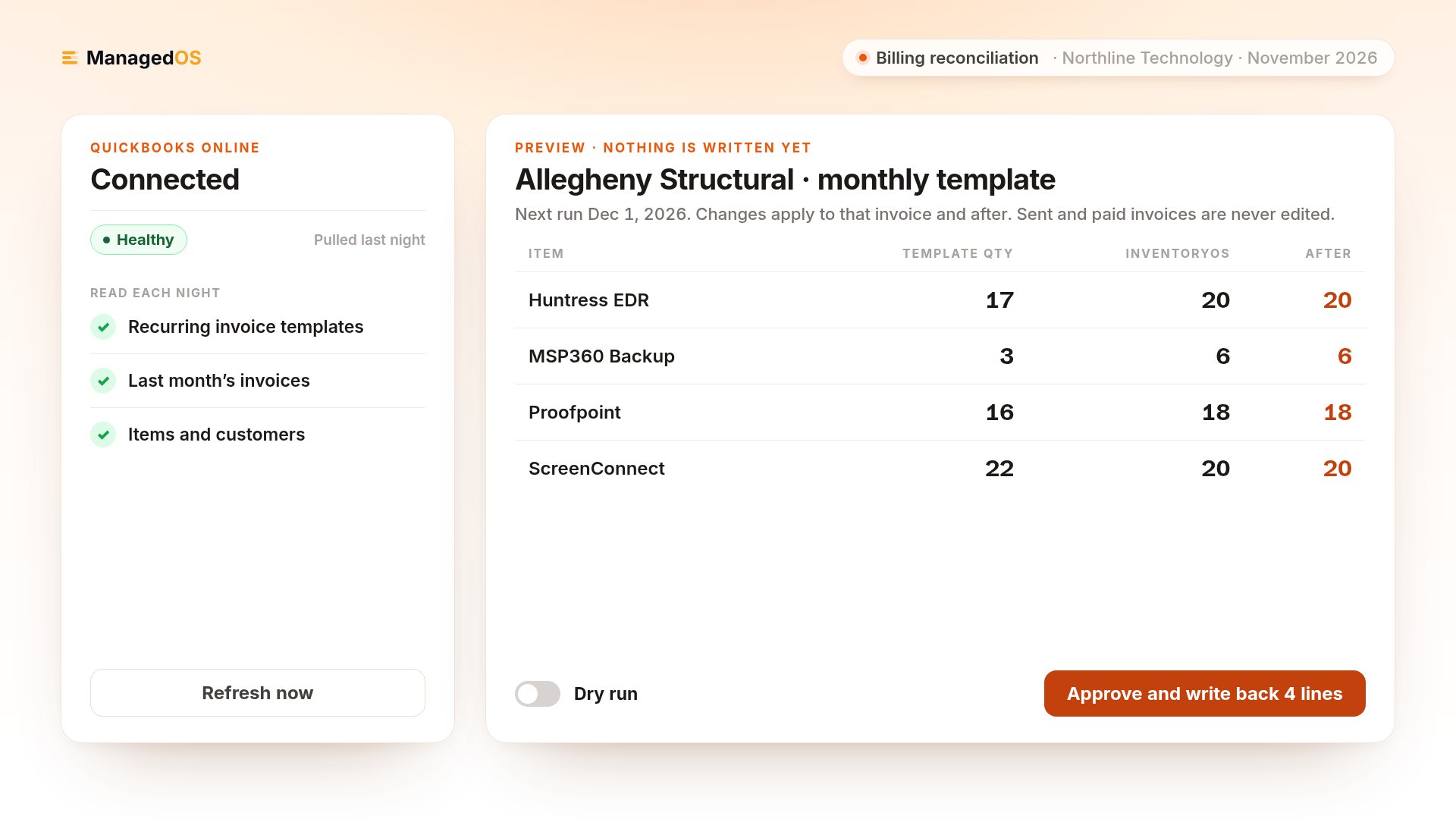
- Preview first. See each line before and after. Nothing is written until you approve.
- Dry run. Try it without writing anything to QuickBooks.
- Sent and paid invoices stay untouched. Only recurring templates change.
- Logged and reversible. Undo while QuickBooks still shows what was written.
Usage reconciliation
The vendor count, the seats in use, the plan, and the bill. On one line.
Connect the distributors and vendor portals you already buy from. Every day ManagedOS lines up what they report with what InventoryOS sees, what the client’s plan covers, and what your PSA bills. Approve the quantity and it’s written back to the PSA agreement line.
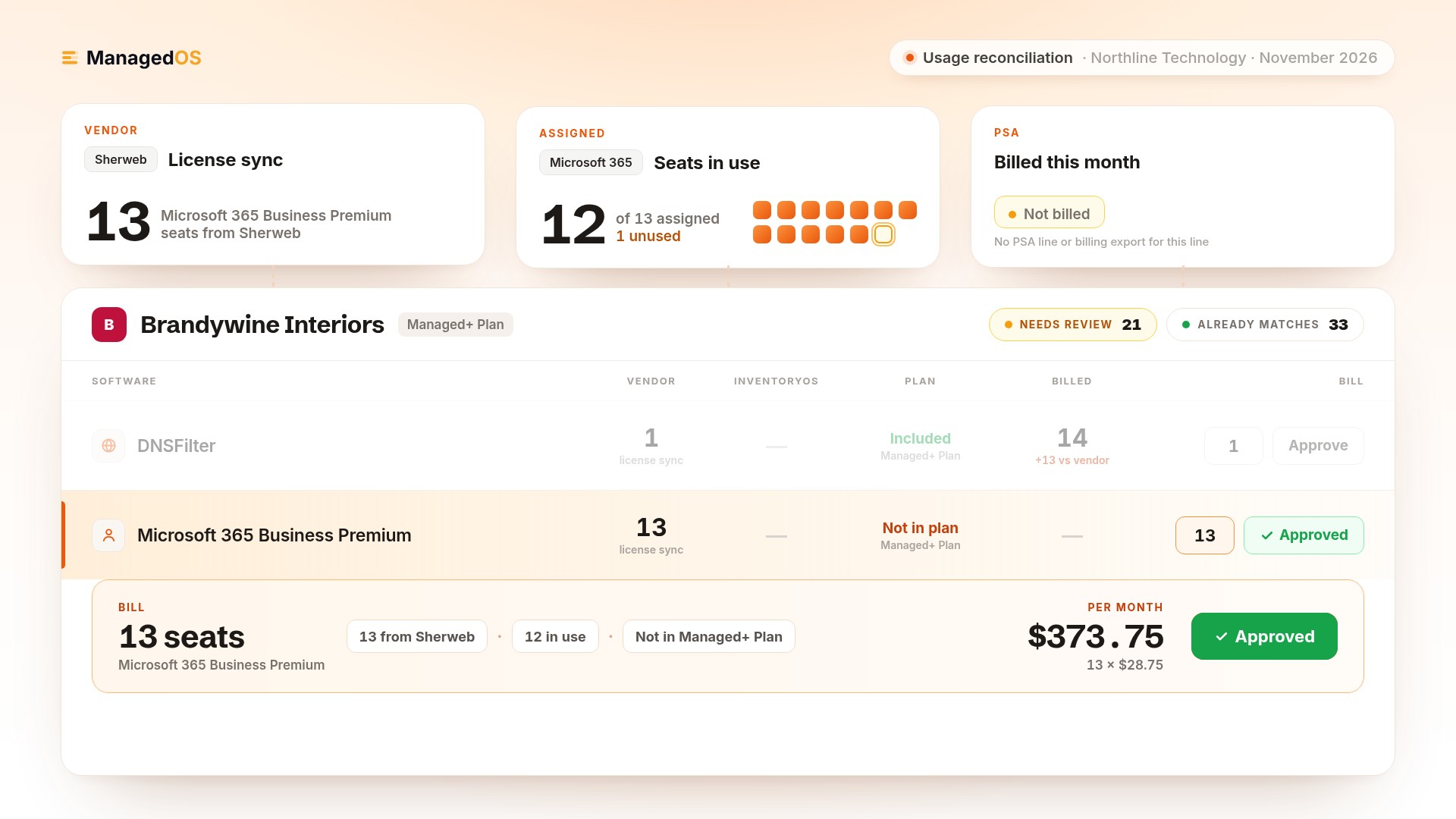
Try it · Brandywine Interiors · Managed+ Plan
Microsoft 365 Business Premium
Vendor
13
seats from the Sherweb license sync
In use
12
of 13 assigned, 1 unused
Plan
Not in Managed+ Plan
You pay the vendor for it
Billed
Not billed
No PSA line or billing export for this line
Quantity to bill
$373.75per month
The vendors you buy fromDistributor and vendor connections such as Sherweb, Pax8, Ingram Micro, TD SYNNEX, and D&H.
Match onceMatch each vendor tenant and client once. The matches are saved.
The billed columnLink a PSA agreement line, or use your billing export for the month.
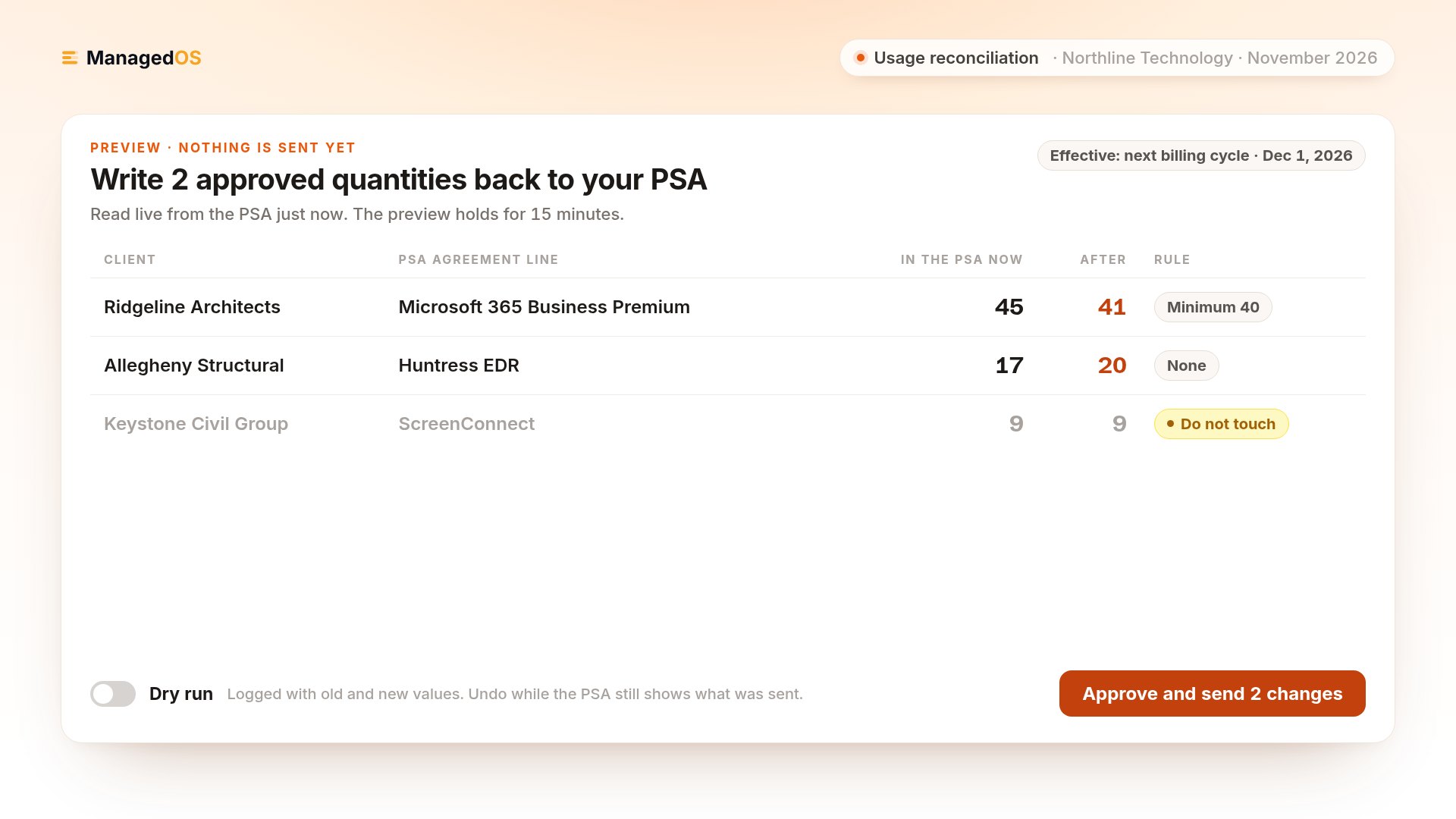
- Your timing. Now, the next billing cycle, or a date you pick.
- Dry run. See exactly what would change without sending anything.
- Client rules. Do not touch, or a minimum quantity, per client.
- Logged and reversible. Undo while the PSA still shows what was sent.
Most MSPs use both. They answer different questions.
Billing reconciliation
The question
Am I billing every client for what InventoryOS sees?
Compares
The quantity on your billing export with InventoryOS counts, product by product.
Starts from
QuickBooks Online, connected, or an export from the billing software you already use.
You finish by
Approving each change, written back to the QuickBooks template.
Usage reconciliation
The question
Am I paying vendors for seats nobody uses, or not billing seats I pay for?
Compares
The vendor count, the seats in use, what the plan covers, and what you billed.
Starts from
Your distributor and vendor connections, InventoryOS, the service plan, and your PSA line or billing export.
You finish by
Approving the quantity to bill, written back to your PSA.
One month, start to finish.
- 1Turn on each productPick weekly, monthly, quarterly, or yearly for each one.
- 2Bring in the numbersDrop in your billing export, and connect the vendors you buy from.
- 3Answer onceConfirm any uncertain client or product match. It’s saved.
- 4Work the differencesOnly the lines that don’t match need you.
- 5Close the monthMark billing done and approve each quantity to bill.
Questions MSPs ask.
Which billing software works?
Any export with a client, a product, and a quantity column, as a CSV or Excel file. QuickBooks reports work as they are, including item reports where each product is a heading with its clients underneath.
Do I have to change how I bill?
No. Billing and usage reconciliation work alongside the accounting software, PSA, and vendor portals you already use. You keep invoicing the way you do today, with the differences in front of you.
What happens when a name doesn’t match exactly?
Exact client and product matches are applied on their own. Anything uncertain is asked once and remembered for next time. You can edit or remove saved matches in Settings.
Can I leave a difference on purpose?
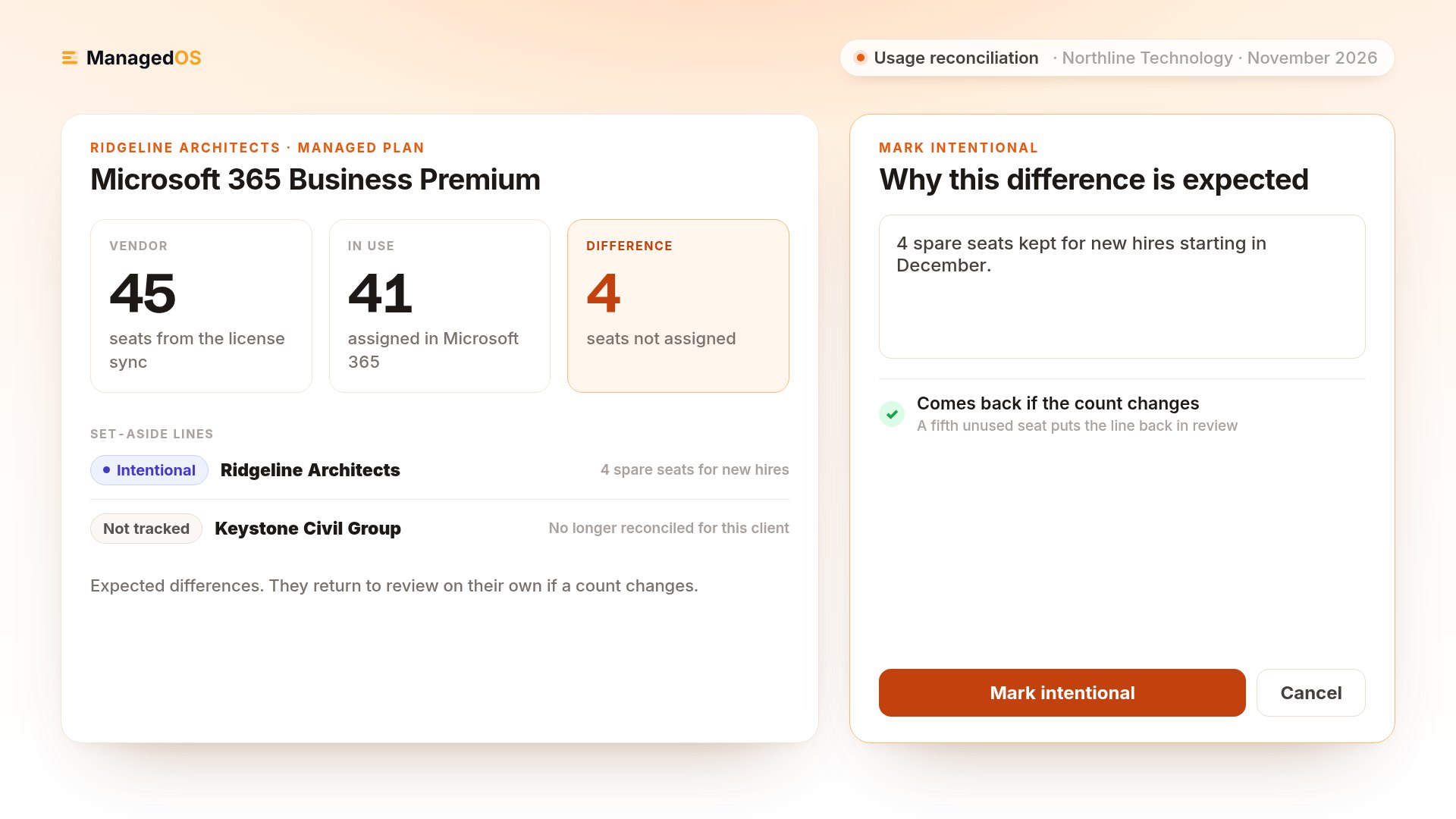
Yes. In usage reconciliation, mark the line intentional and say why. It moves to Set-aside lines and comes back to review on its own if a count changes. You can also stop tracking a line for one client.
How often do I reconcile?
You choose per product: weekly, monthly, quarterly, or yearly. A grouped reminder email lists what’s due soon and what’s past due, and you choose who gets it and how far ahead.
Who on my team can use it?
Billing reconciliation and Usage reconciliation each have their own No access, View, or Manage setting in custom roles, so a billing lead can work them without seeing anything else.
Can it update QuickBooks for me?
Yes, with QuickBooks Online. Connect it once and ManagedOS reads your recurring invoice templates every night. Approve a change and the new quantity is written to the template before its next run, after a preview. Sent and paid invoices are never edited.
Does it update my PSA?
Yes. Approved quantities are written back to the PSA agreement line after a live preview of before and after. You choose when the change takes effect, can run it as a dry run first, and can undo it while the PSA still shows what was sent.
Bill for what you deliver, every month.
Billing and usage reconciliation are part of ManagedOS for MSPs, alongside the tools you already run.