New: Get started with InventoryOS in under 5 minutes. Create your account →
ManagedOS
MSP hub

Run client ops from one
ManagedOS workspace.

Service plans, quotes, reconciliations, Plan-Based Onboarding, team access, and client portal controls live together so MSP teams stop bouncing between spreadsheets and half-connected tools.

Your clients sign off on their own bill. Every month.
Built from what you already manage, sent on the day you choose.
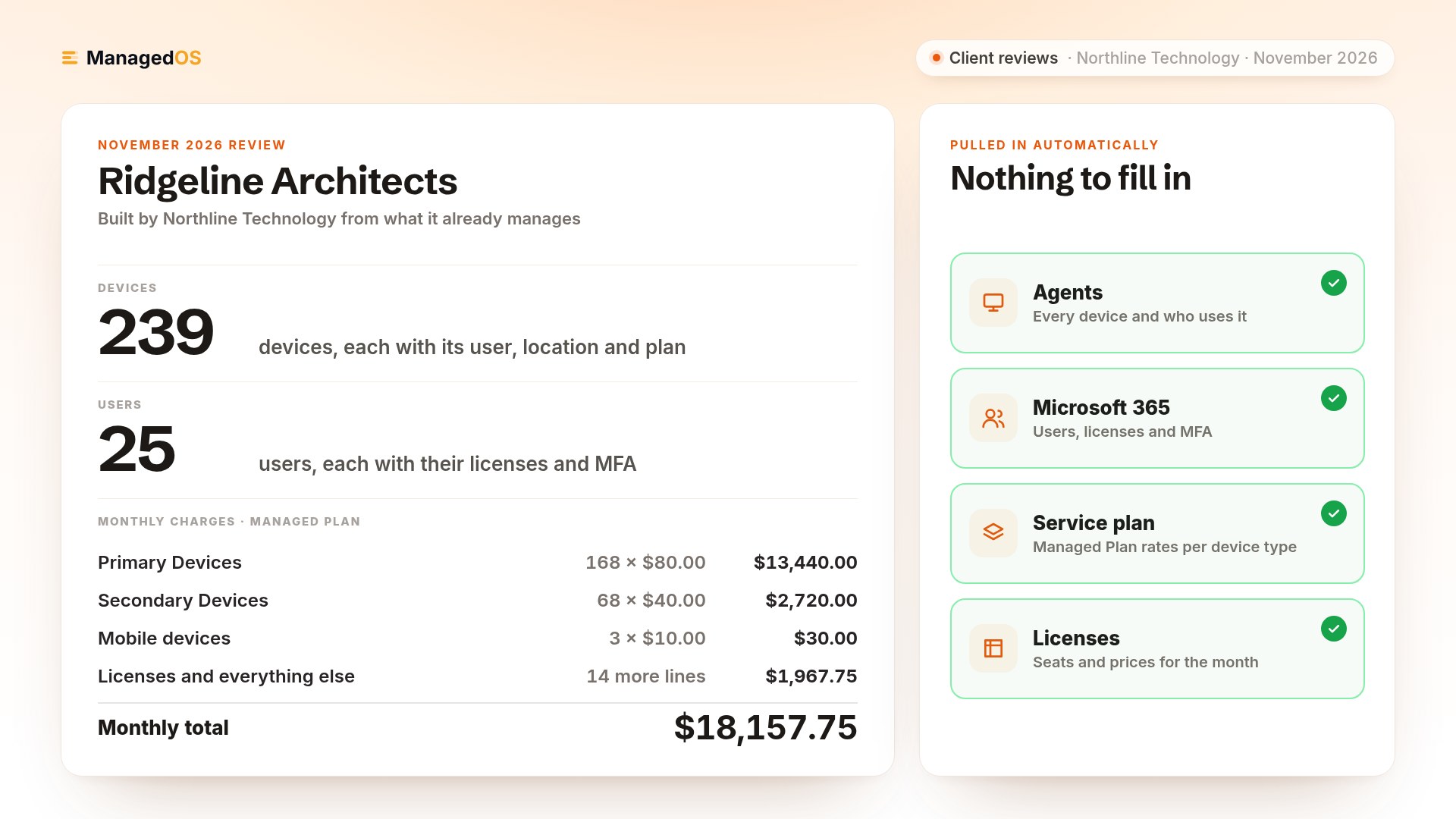
ManagedOS Client reviews: the November 2026 review for Ridgeline Architects with 239 devices, 25 users and a monthly total of $18,157.75
Each review builds itself from the client's devices, users, and service plan. It goes out on the day you choose, with reminders until they answer. They comment on any row: retire a device, rename it, offboard a user. They confirm everything looks good, or submit the changes they need. You see every client's answer for the month and check off each request.
Service plans

Service plans

Name the stack you sell once. Price each device type, list the products included, and assign a plan to every client so Agents and Users know the tier.
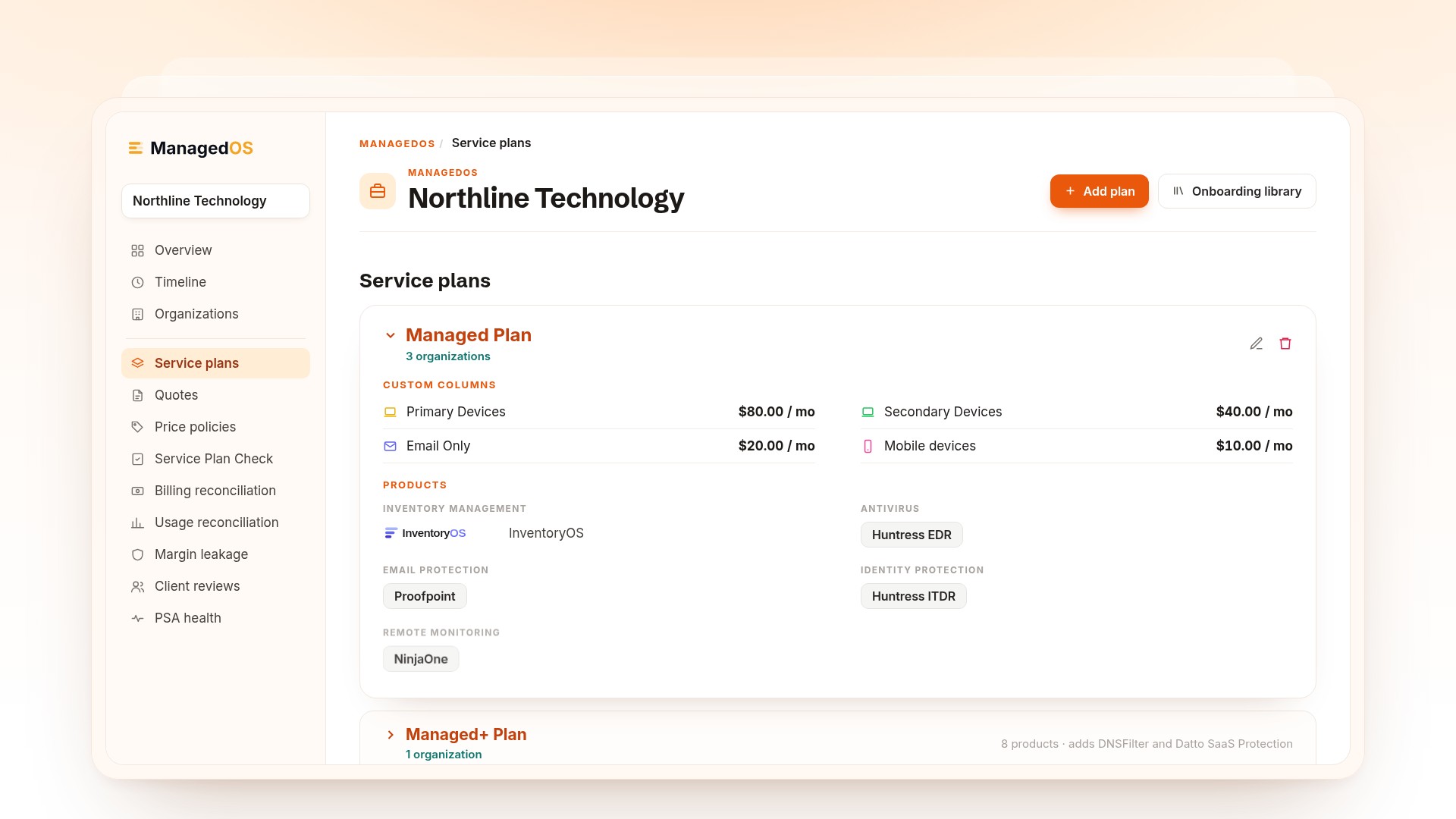
ManagedOS service plan for Northline Technology with device prices and included products
Price policies

Price policies

Override default prices for healthcare, nonprofit, or legacy clients without rewriting the base plan. Set PSA labor rate and time rounding in the same place.
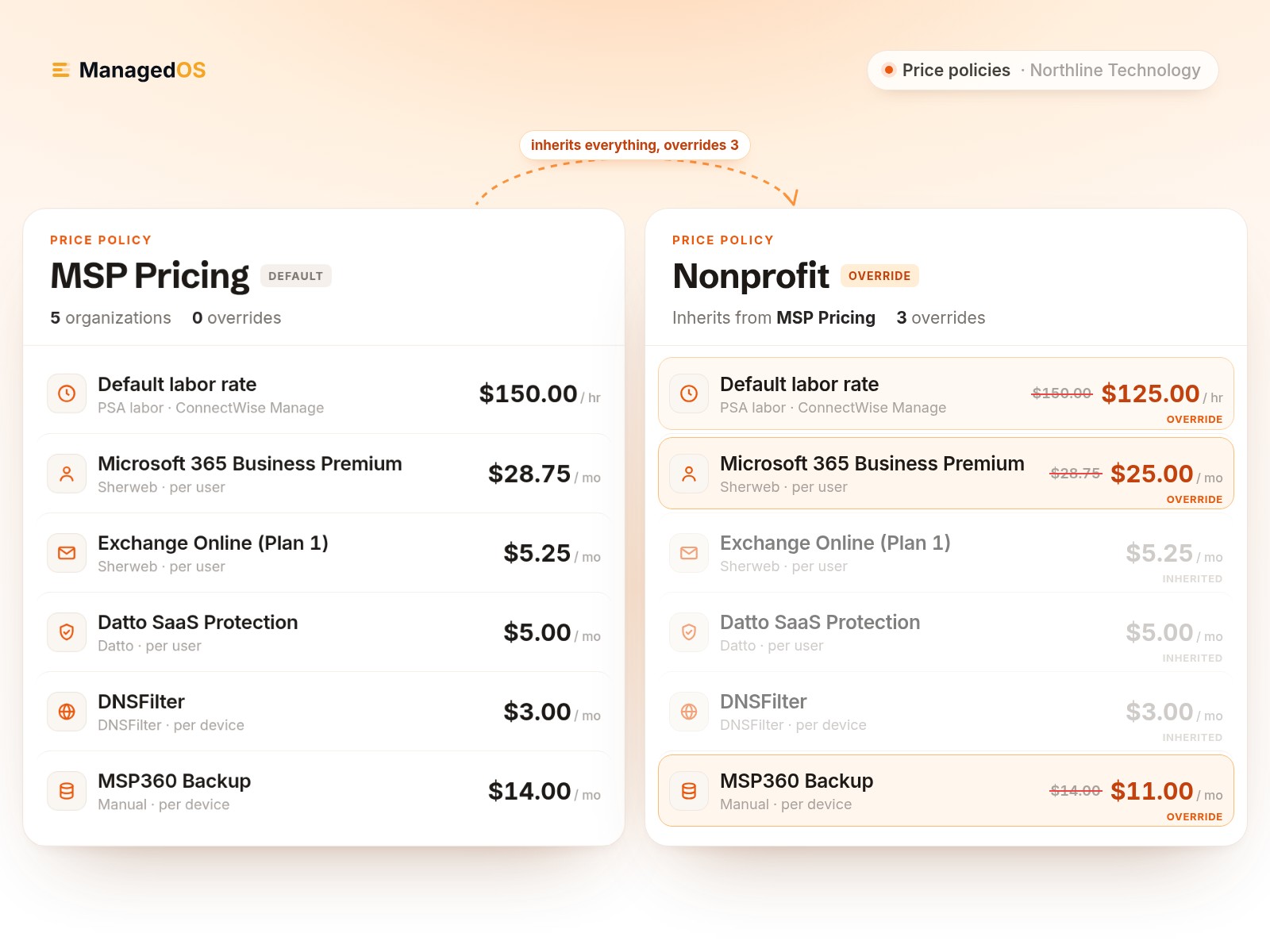
ManagedOS MSP Pricing policy beside a Nonprofit policy that overrides three prices
Quotes

Quotes

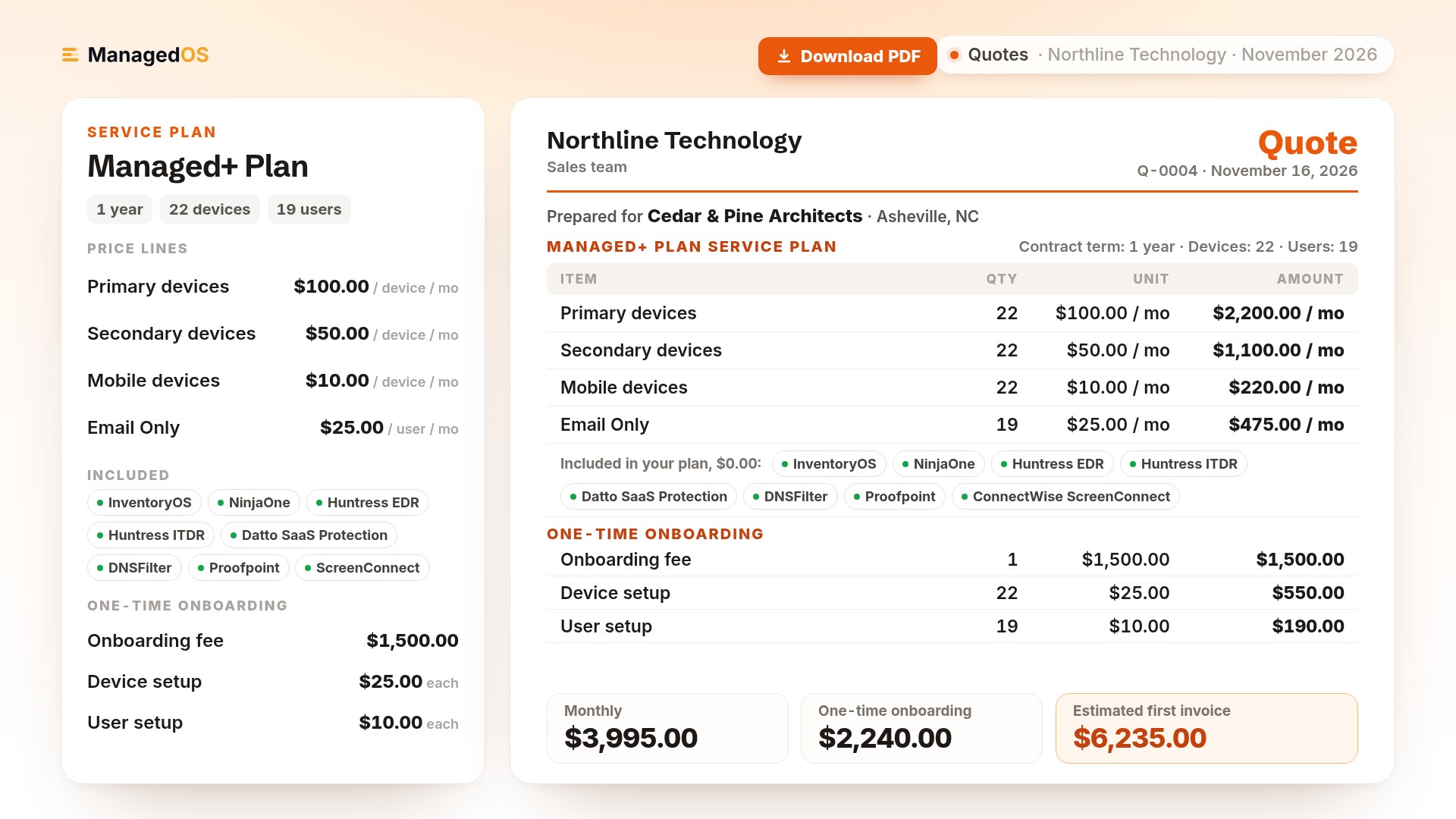
Quote, win, and onboard in one place. Build a branded quote from your service plans, track it on a pipeline board, and turn a signed quote into a client without retyping anything.
Plan match
Match live inventory to the plan a client should be on, then turn coverage gaps into clear quote and onboarding work.
ManagedOS quote Q-0004 for Cedar and Pine Architects on the Managed+ Plan: $3,995.00 a month, $6,235.00 estimated first invoice
Onboarding

Plan-Based Onboarding

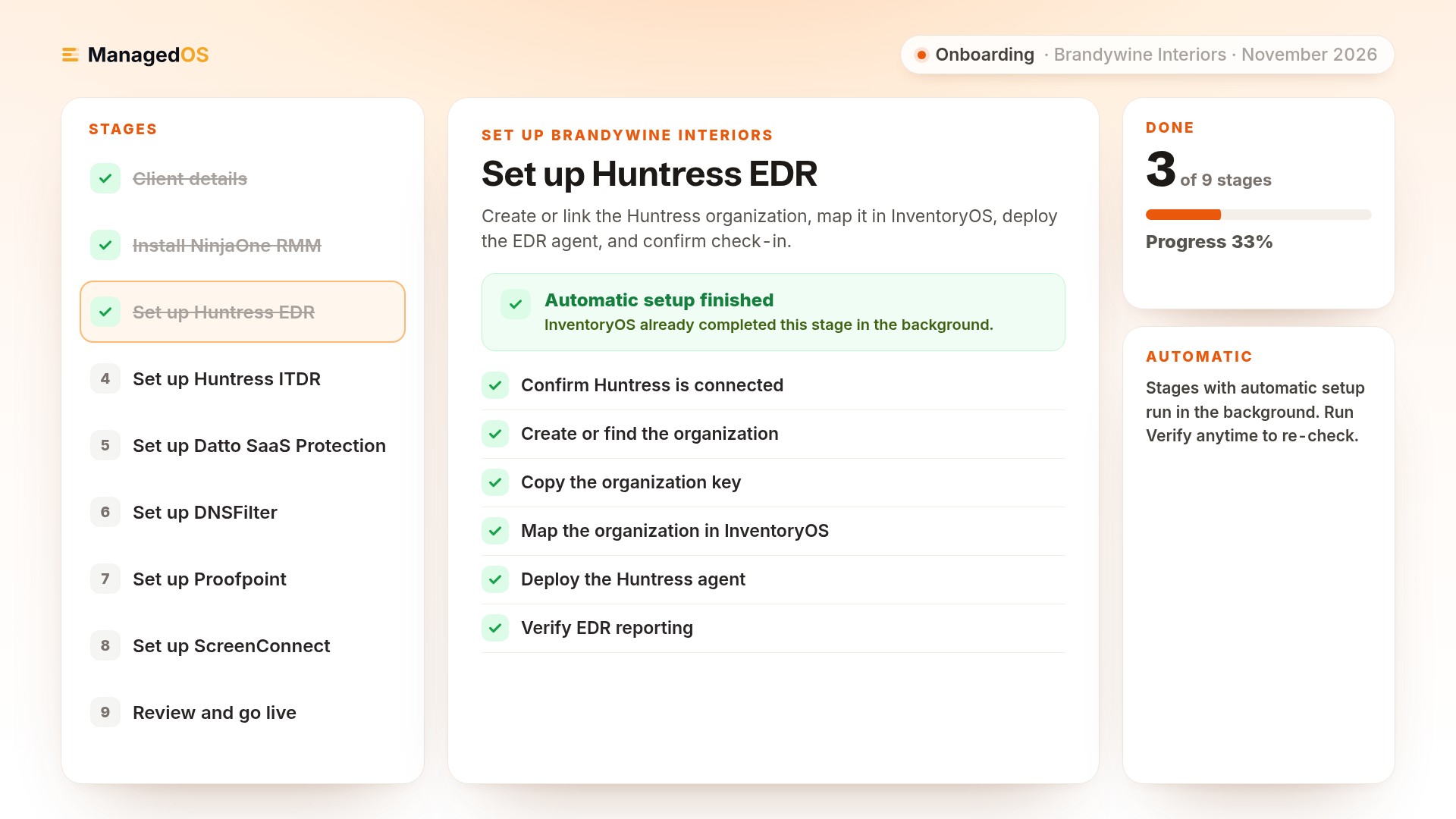
Assign a plan and get a per-client checklist with Manual, Verified, or Automatic setup modes for each product in the stack.

  • Template library for the tools you sell most often.
  • Wizard with stage stepper and Atlas status summary.
  • Optional delayed PSA tickets when software stays unmapped.
Client checklist
A temporary Onboarding item appears in the side nav until plan software is set up, so techs always know what is left.
ManagedOS onboarding for Brandywine Interiors on the Managed+ Plan: 3 of 9 stages done, 33% complete
Service Plan Check

Service Plan Check

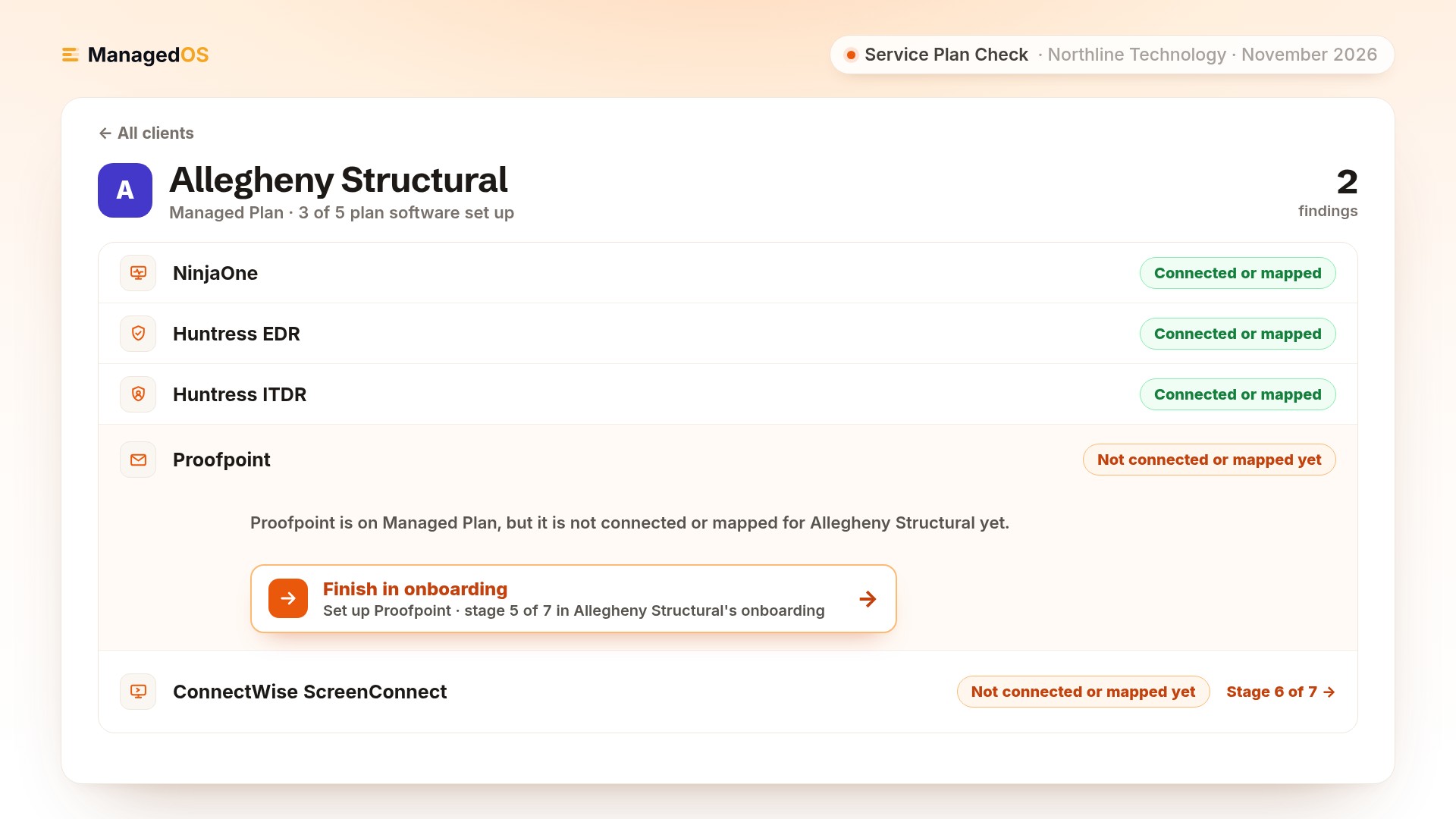
See which clients still have plan software to set up. Service Plan Check lists every product on each client's service plan and shows whether it is connected and mapped, then sends each gap straight to the matching onboarding stage. Seat counts and billing differences stay in Billing Reconciliation.
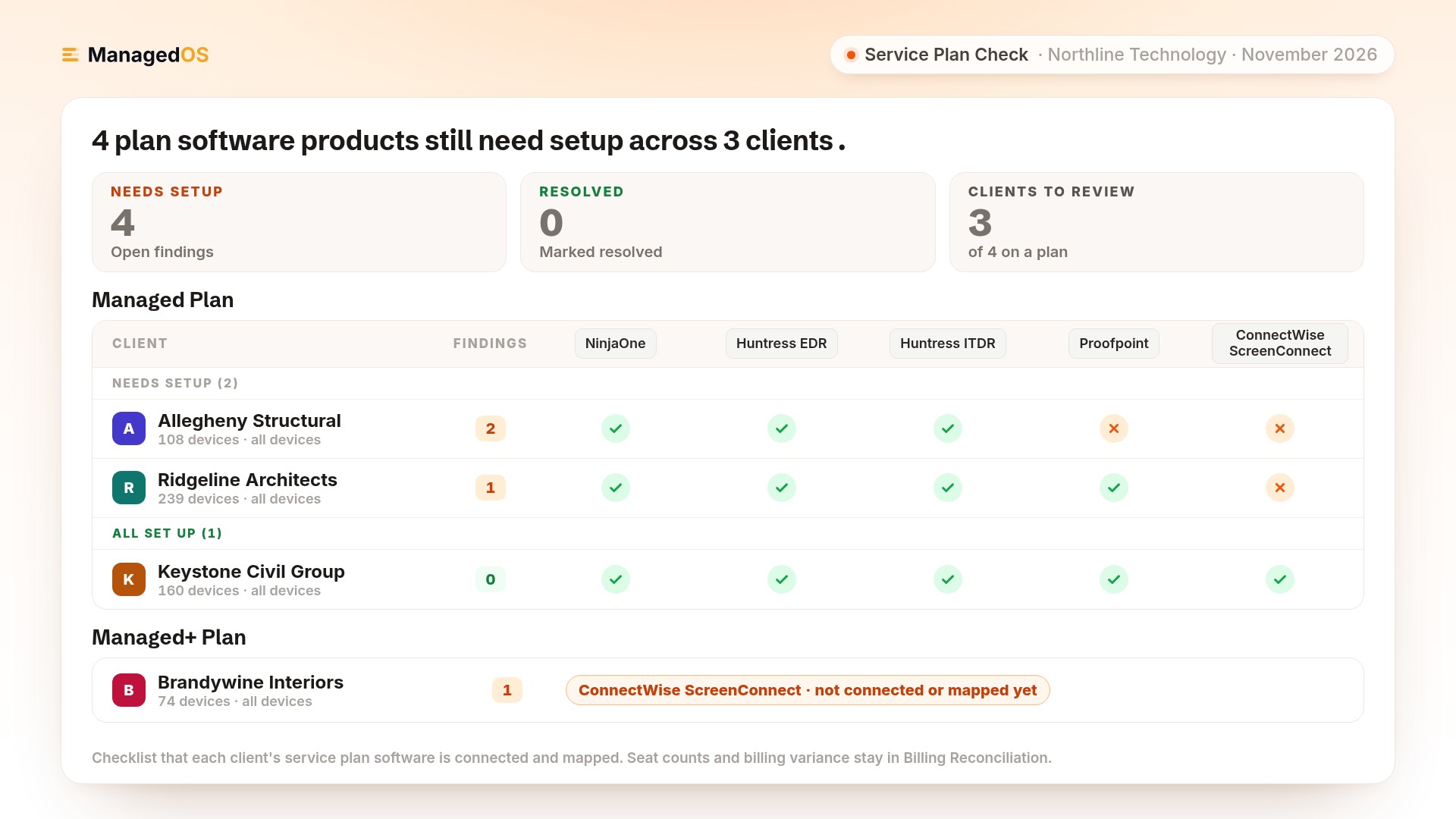
Service Plan Check for Northline Technology: 4 plan software products still need setup across 3 clients. A grid shows each Managed Plan client with a check or a cross for NinjaOne, Huntress EDR, Huntress ITDR, Proofpoint and ScreenConnect.
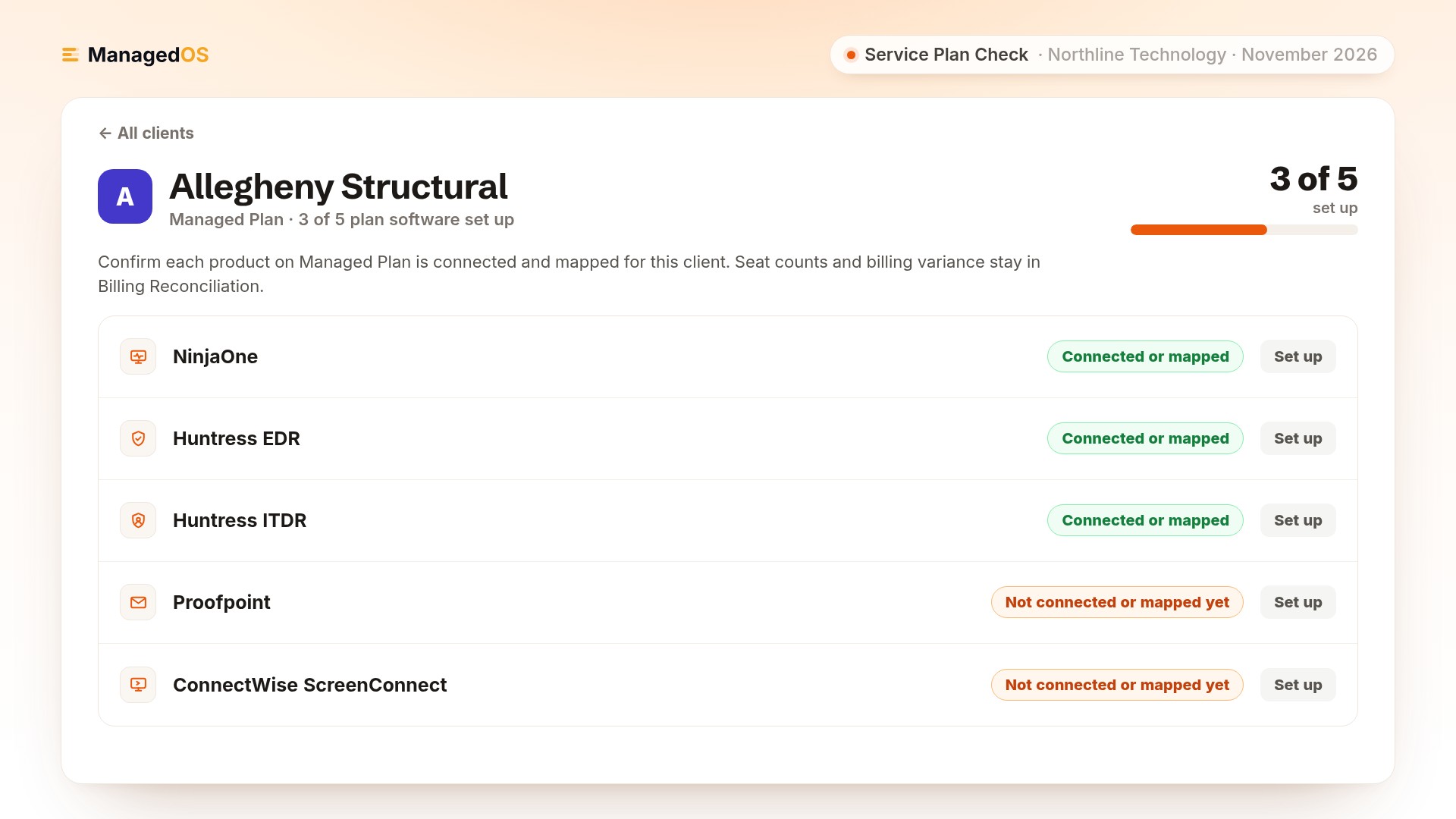
Allegheny Structural on the Managed Plan: 3 of 5 plan software set up. NinjaOne, Huntress EDR and Huntress ITDR are connected or mapped; Proofpoint and ScreenConnect are not connected or mapped yet.
The Proofpoint finding for Allegheny Structural with a Finish in onboarding link to Set up Proofpoint, stage 5 of 7 of the client's onboarding.
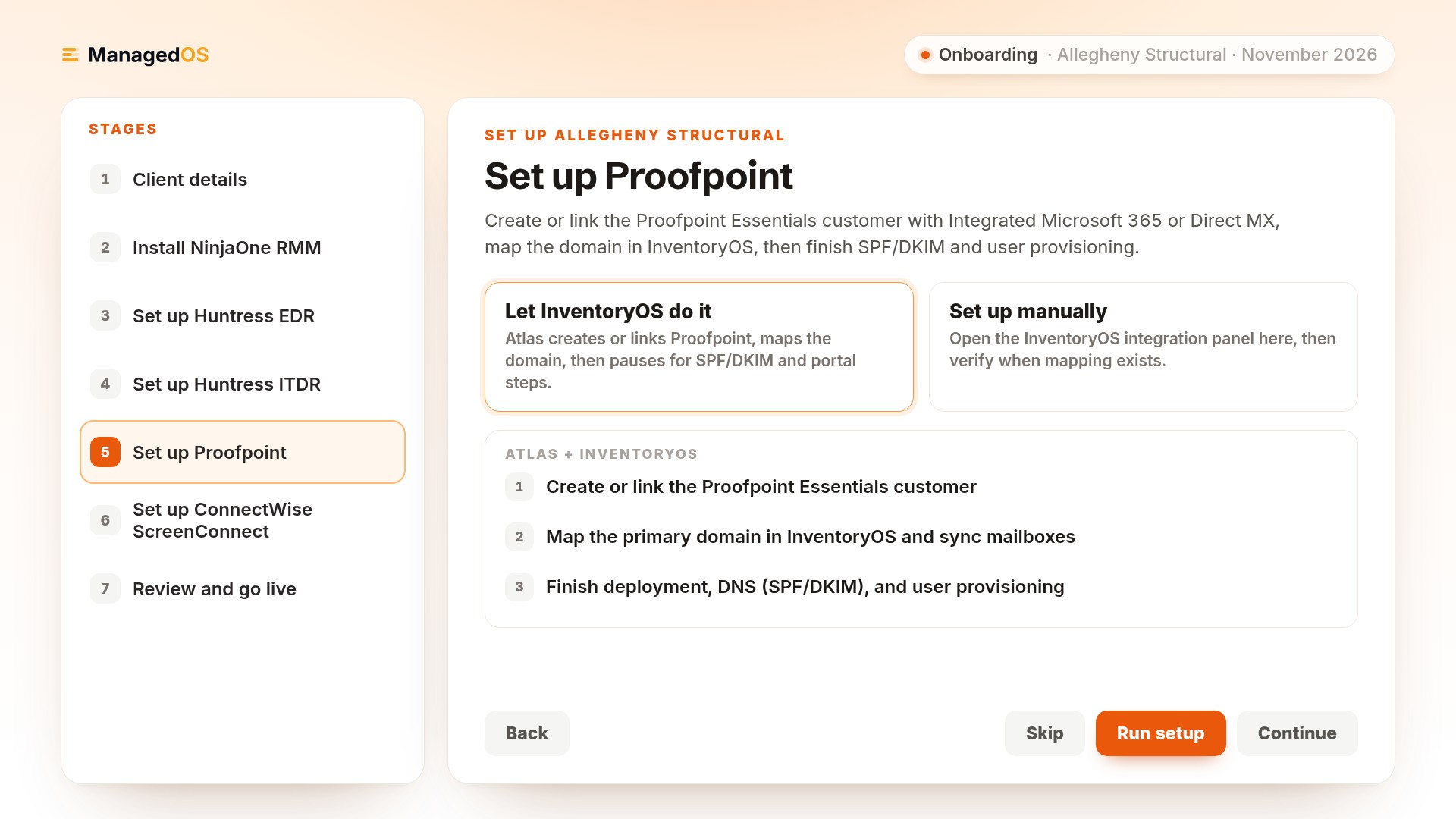
Allegheny Structural's onboarding open at Set up Proofpoint, with Let InventoryOS do it, Set up manually, and the Atlas checklist.
01 / 04 One count across every client: open findings, resolved, and clients to review. Each client's plan software, product by product: connected and mapped, or not yet. Every finding links to the matching stage in that client's onboarding. Finish setup in Onboarding, with that stage's checklist ready to run.
Billing reconciliation

Billing reconciliation

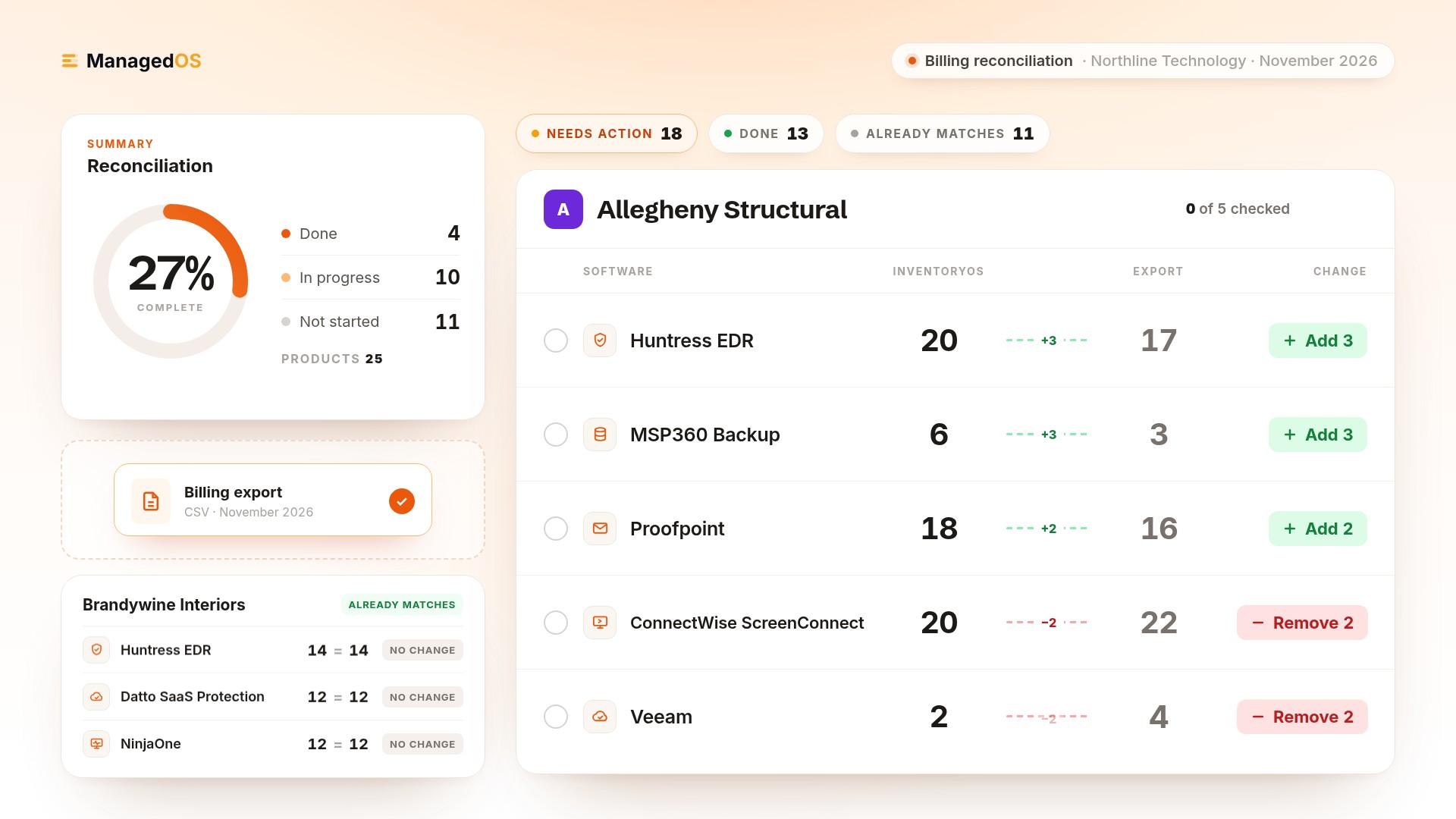
Connect QuickBooks Online or drop in any billing export. Every client shows what to add or remove, and approved changes are written back to your recurring invoice templates.

Pulls
From QuickBooks Online automatically, or drop in a .csv, .xls, or .xlsx export
Compares
Your billing against InventoryOS counts, client by client
Shows
What to add or remove on each line
Approve
One line or in bulk, after a before-and-after preview
Writes back
Approved quantities to your QuickBooks Online recurring invoices
Resets
WeeklyMonthlyQuarterlyYearly
ManagedOS billing reconciliation for one client: InventoryOS counts beside billing export counts, with Add and Remove changes for each product
Usage reconciliation

Usage reconciliation

Line up what each vendor reports, what InventoryOS sees, what the plan covers, and what you billed. Approve the quantity in one click and it’s written back to your PSA.
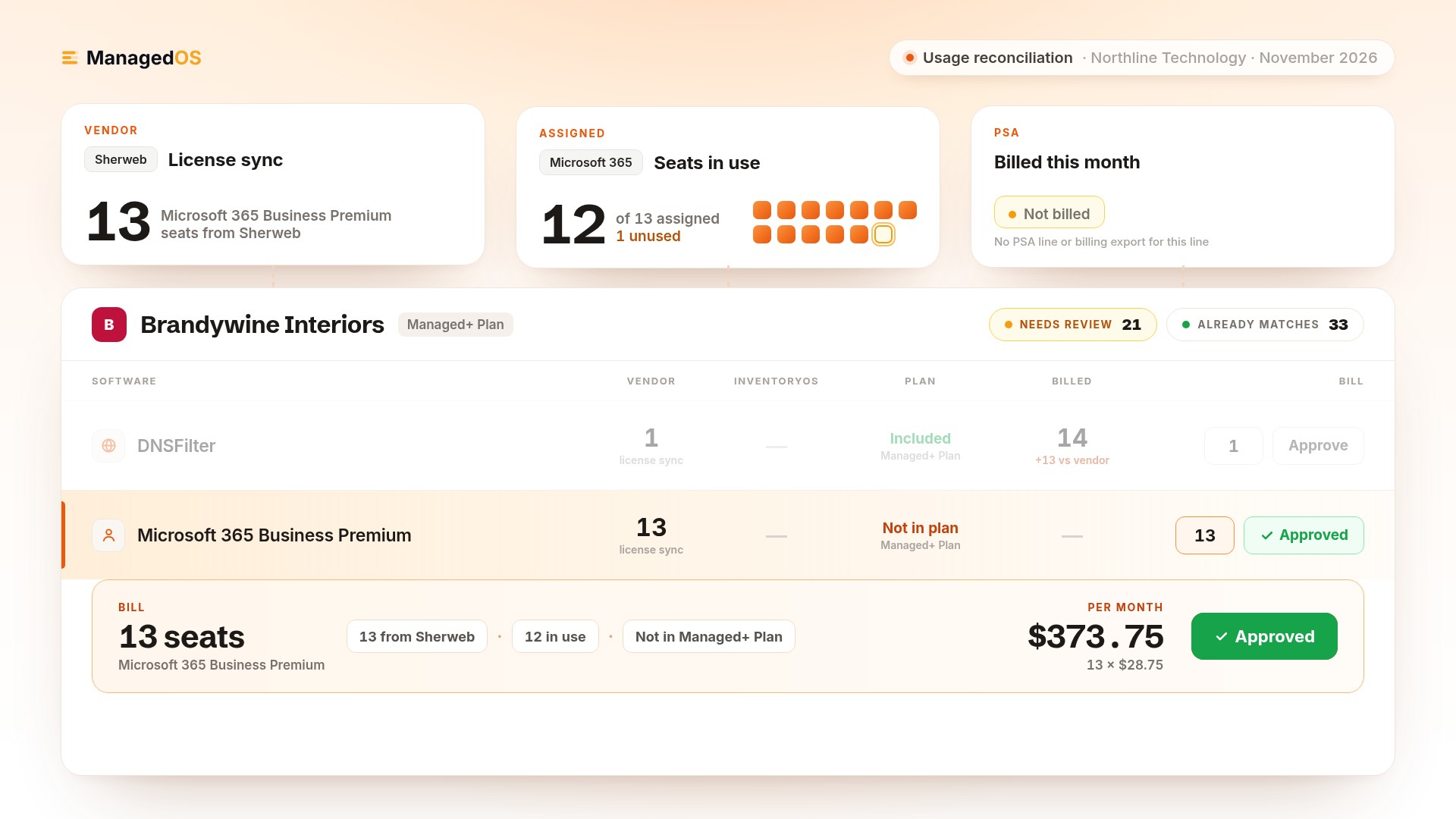
The vendor's license sync, the seats in use, the client's plan and your PSA billing land on one screen, client by client.
Open a line to see the vendor count next to the seats actually assigned, so an unused seat stands out.
Set the quantity to bill and approve it in one click.
ManagedOS usage reconciliation for Brandywine Interiors: 13 Microsoft 365 Business Premium seats from Sherweb, 12 in use, approved to bill at 13
  • 22 lines need review
  • 32 already match
  • 13 seats from Sherweb, 12 in use
  • Not in Managed+ Plan: you pay the vendor for it
Margin leakage

Margin leakage

See the dollars you lose each month: seats you pay for but do not bill, prices below cost, unused seats, and licensed users who stopped signing in.
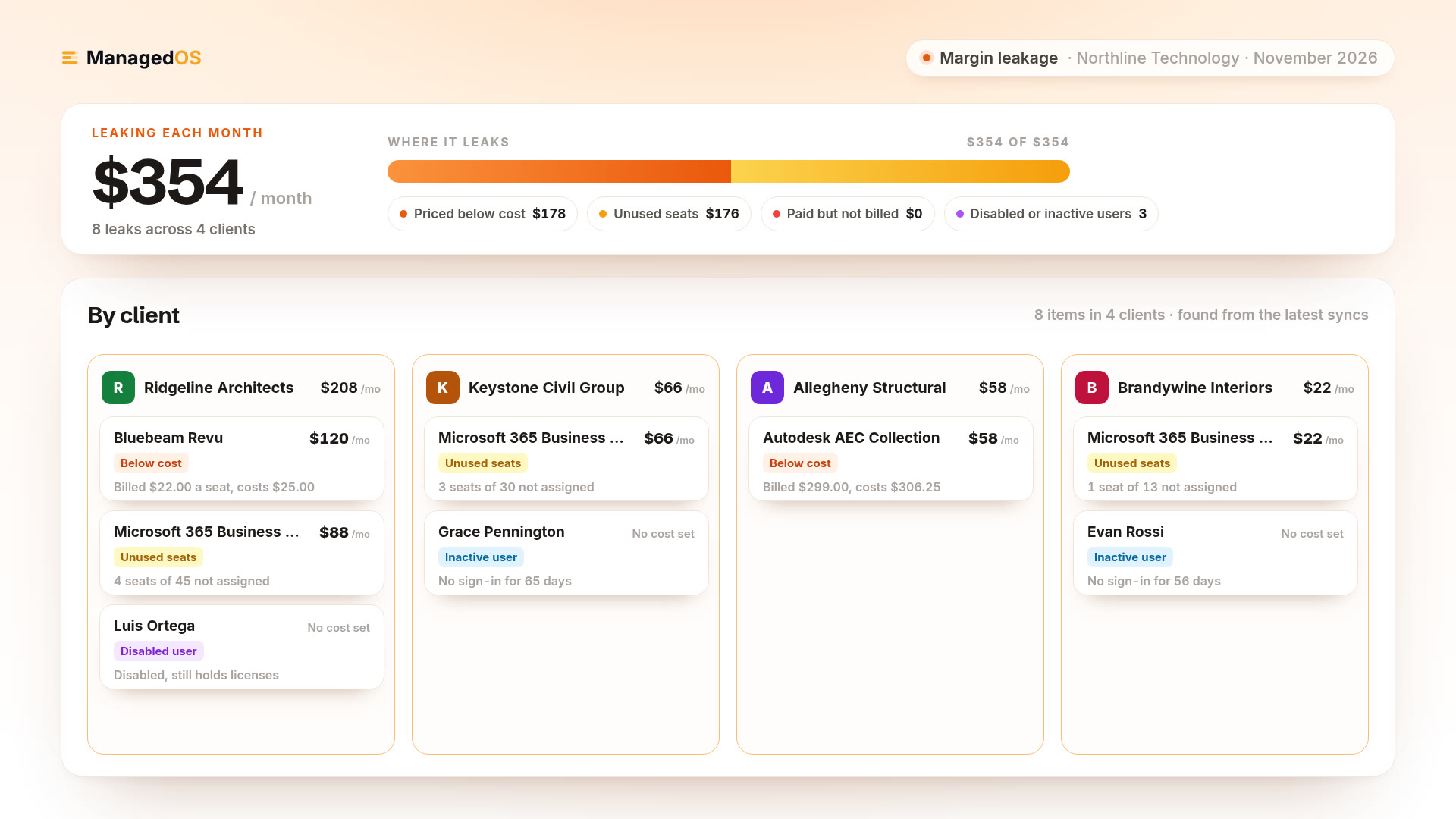
Leaking each month
Priced below cost, each month
Unused seats, each month
Back each year once fixed
$354
8 leaks across 4 clients, recalculated from the latest syncs.
Bluebeam Revu billed at $22.00 a seat but costs $25.00. Autodesk AEC Collection billed at $299.00 but costs $306.25.
Microsoft 365 seats paid for but not assigned to anyone, at three clients.
$354 a month, every month, once each leak gets its fix.
ManagedOS margin leakage for Northline Technology: $354 a month leaking across 8 items at 4 clients
PSA health

PSA health

Flags unassigned tickets, scheduled tickets left open, billing mismatches, long time entries, and tickets nobody has updated.
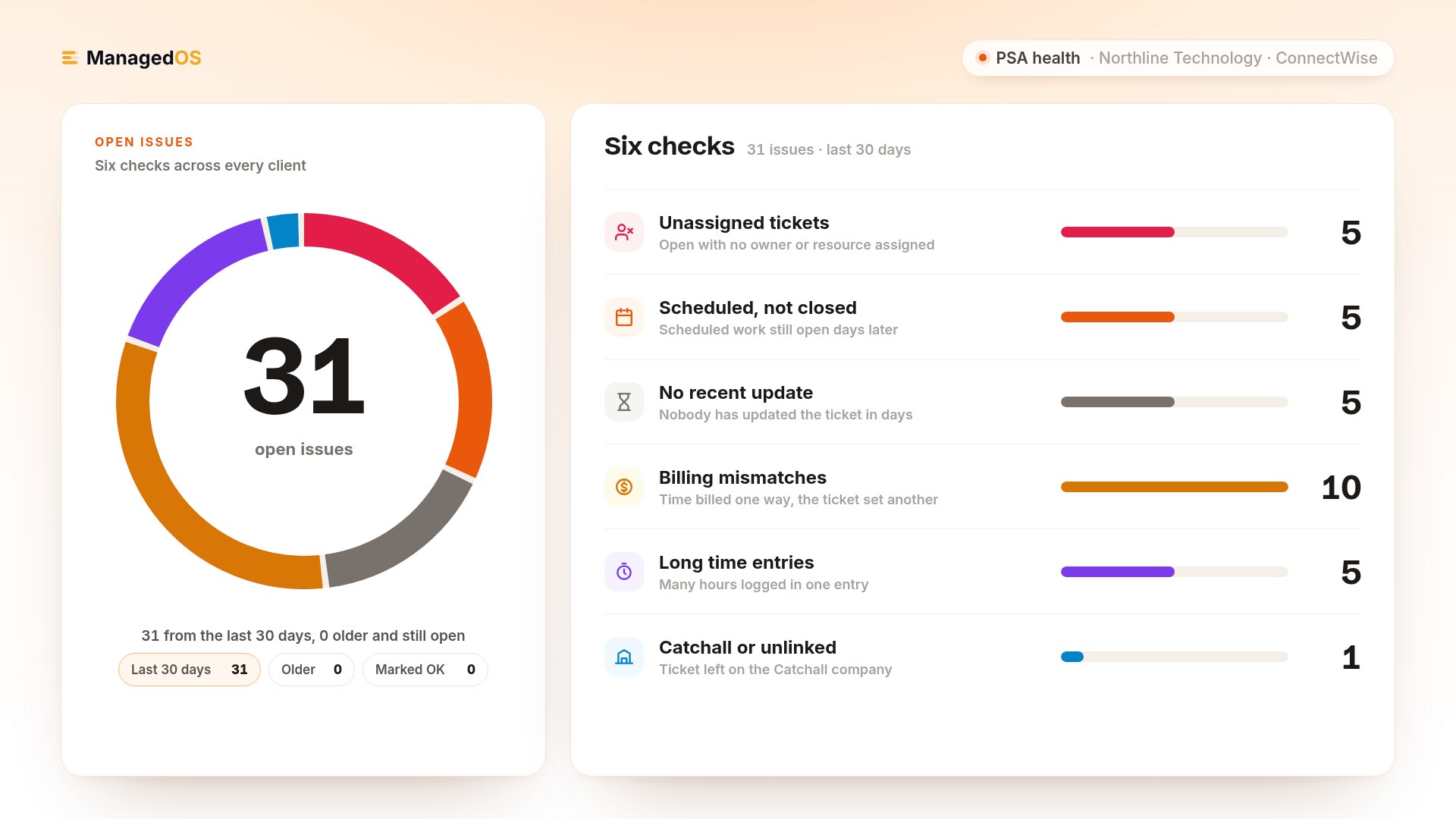
ManagedOS PSA health for Northline Technology: 31 open issues across six checks
Auto-tickets

Auto-tickets

Open a PSA ticket automatically when an alert fires, like a missing security tool or an offboarded user who still holds a license. Optionally try an RMM fix first.
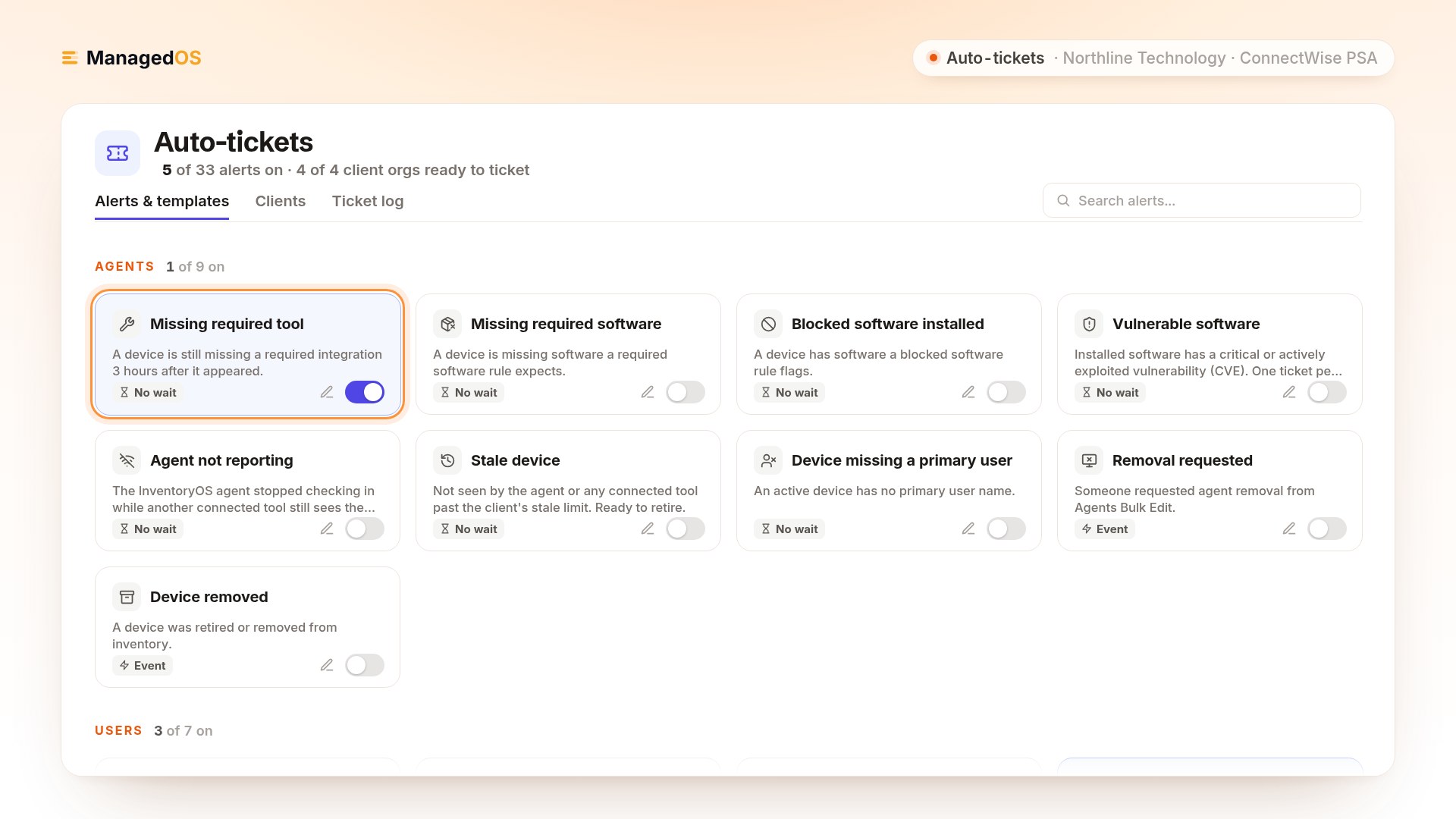
33 alert types you can ticket Agents, users, integrations, assets, billing and security
ManagedOS Auto-tickets catalog for Northline Technology: 5 of 33 alerts on, with Missing required tool highlighted
Team

Add your techs once. They reach every client.
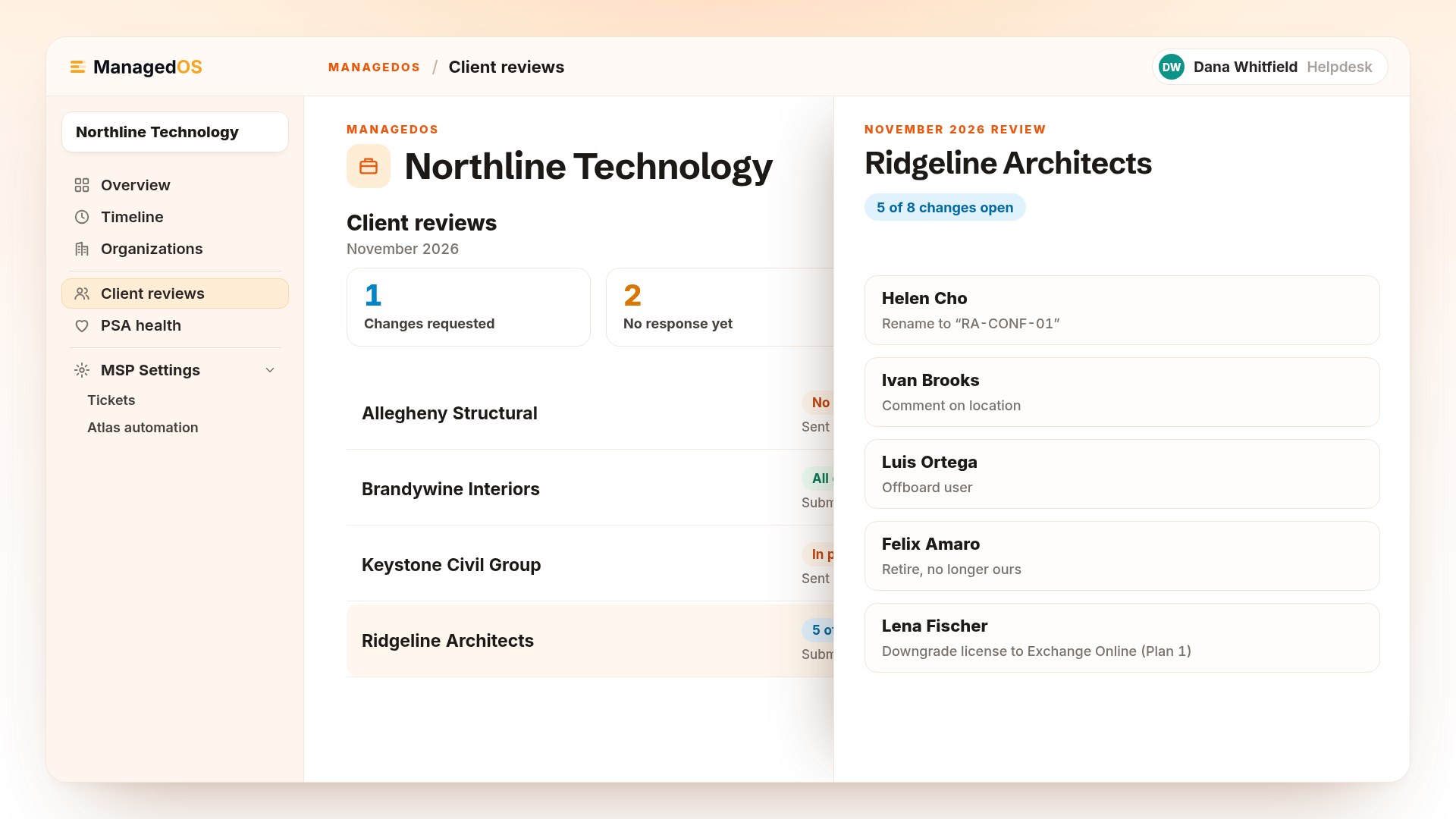
Invite staff by email and give them a role. Their access covers every client you manage, and every client you link later. Custom roles set No access, View, or Manage for each ManagedOS page, so each person's side menu shows only what they can open.
Northline TechnologyAccount owner
Dana WhitfieldHelpdesk
Tom BeckerHelpdesk
ManagedOS seen by Dana Whitfield, signed in as Helpdesk: her side menu shows Client reviews, PSA health, Tickets and Atlas automation, with Ridgeline Architects' November 2026 review open
Team members lists everyone at your MSP who can sign in to ManagedOS. Type or paste emails, pick a role, and send every invite at once. A role sets No access, View, or Manage for each ManagedOS page. Once Dana accepts, she has Helpdesk on every client, and on new clients too. Dana's side menu shows only the pages Helpdesk can open.
Who sees what Pick a role to see its pages and side menu.
Side menu
One invite, every client
Your team
Single sign-onThe account owner can connect Okta, Microsoft Entra ID, Google, or any SAML 2.0 provider.
InvitesPaste a list of emails at once. Invites expire after 7 days.
GuardrailsPeople who manage the team can only hand out access they have themselves. Removing someone takes them off every client, unless a client invited them directly.